RazeMath - Optimizing personalized AI math tutoring
Role
Lead Designer
Team
RazeMath
Timeline
Oct 2025 - Present
Tools
Figma
Cursor
PROBLEM
An unoptimized user experience for students.
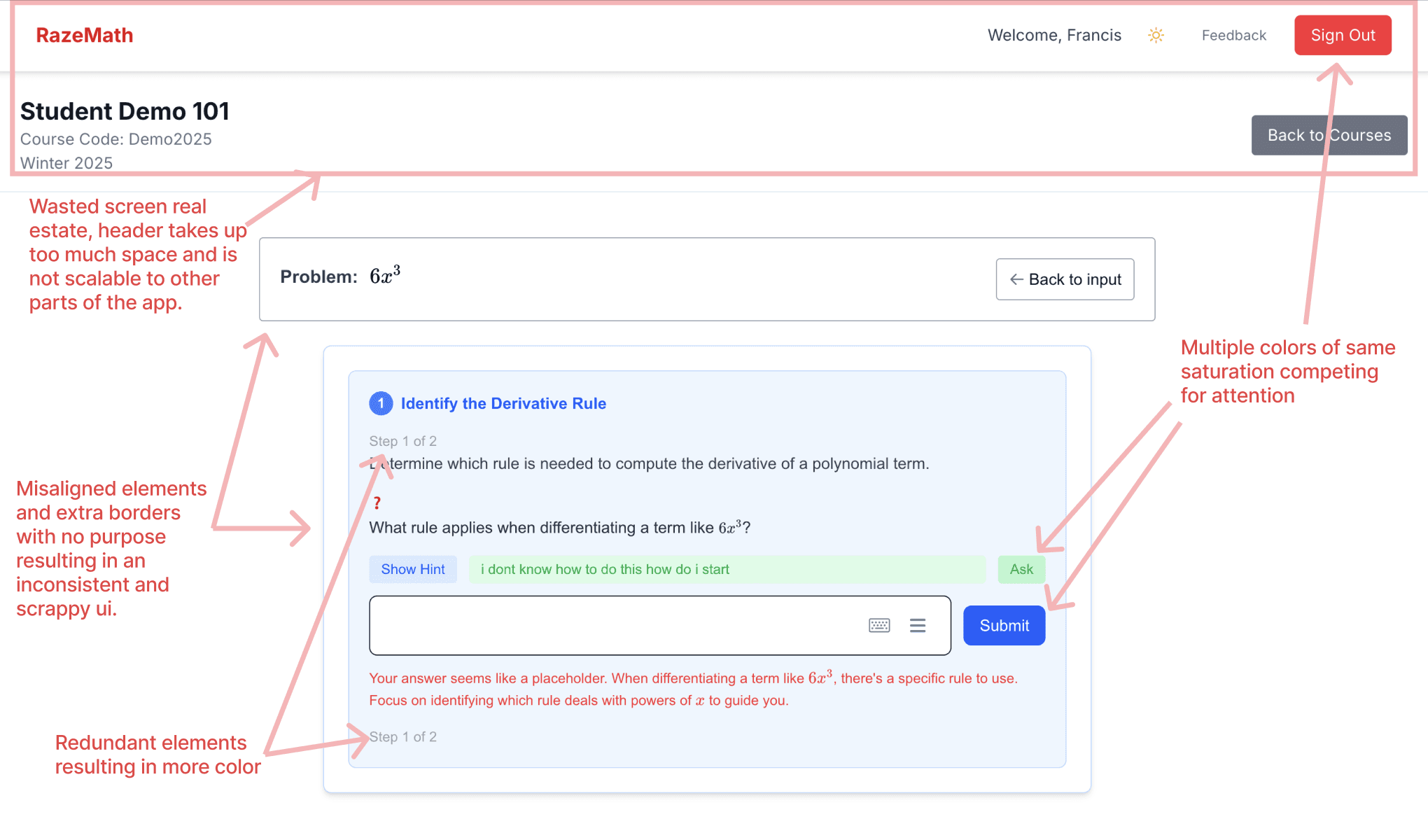
RazeMath sought to fix this problem through personalized AI tutoring. However their current UI was inconsistent, visually cluttered, not optimized for students, and conveyed zero brand identity.
My brainstorming of potential points of friction for the student.
SOLUTION
Crafting a pleasant student studying experience.
Consistency:
I built a design system to maintain consistency throughout the app.
Decluttering:
I replaced the current header with a reusable sidebar.
Student Optimization:
I created a dark mode color palette for study sessions in lower light conditions.
Brand Identity:
I built a landing page to ease students into the tutoring workflow of RazeMath.
RESEARCH
One in eight college freshman can't do highschool math.
In 2025, UC San Diego found that 1 in 12 of their incoming freshman placed in middle school level math despite having 4.0 GPAs. That's extremely alarming especially at university level education.
RESEARCH
Laying out business goals.
I set up a meeting and solidified exactly what RazeMath's goals were:
Provide personalized 1 on 1 math tutoring for college students.
Not just give answers. but encourage thinking through every problem.
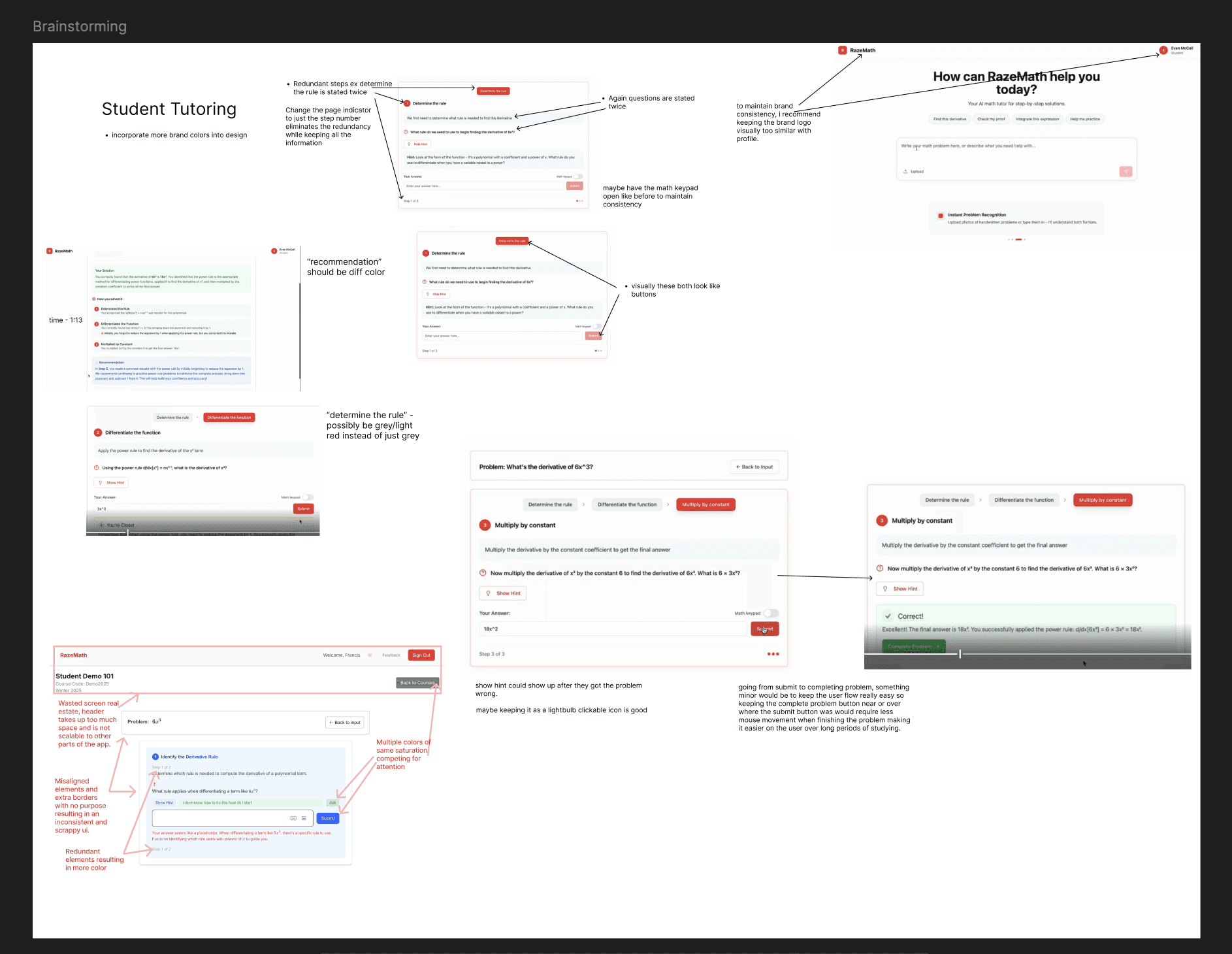
I led an initial brainstorming session with my team to find potential user pain points.
DESIGN
The first step, screaming for attention.
The current brand color is much too saturated for modern design standards. It screams for attention. We don't want that for students, we want gentle guidance, not screaming.

Before:
loud and screams for attention
not up modern design trends
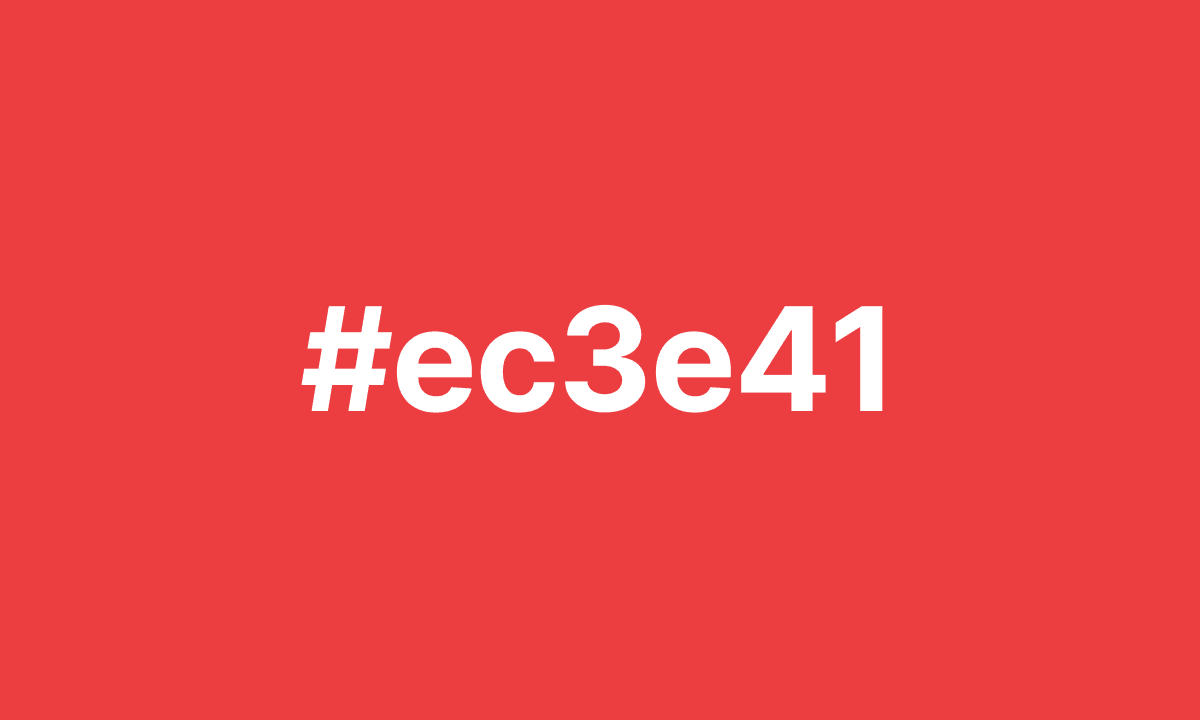
After:
gently guides attention
mimics design trends but distinctive
DESIGN
A design system for consistency.
RazeMath's problem of inconsistency was a direct result of lacking a design system that can be used throughout the app. To solve this, I drafted an initial style guide that would keep my iterations consistent.
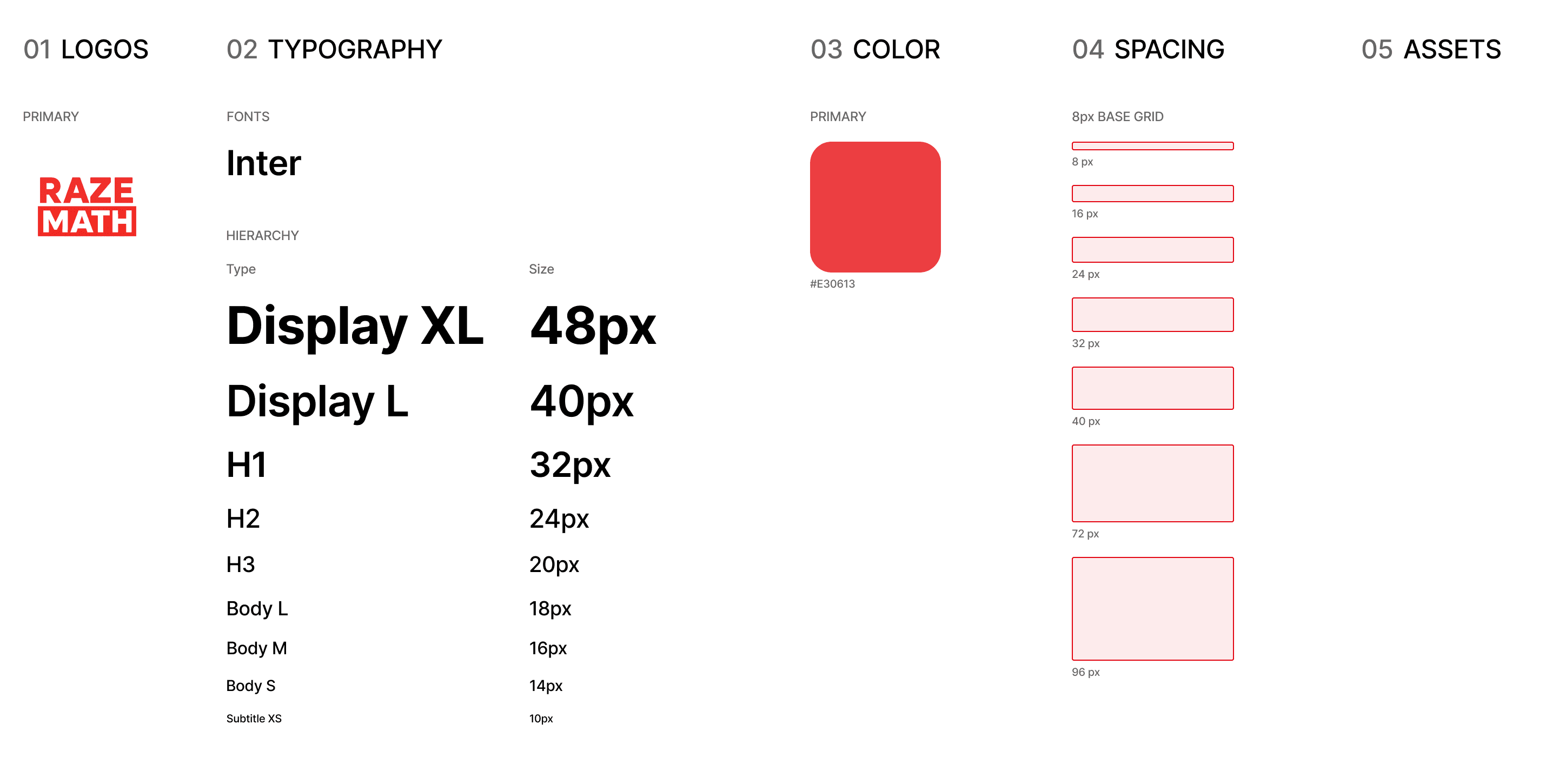
My initial style guide, pretty bare bones… but it was exactly what I needed to get started!
DESIGN
Implementing the first design system.
Utilizing the design system to keep my iterations consistent, I began to iterate to solve the fundamental design problems of RazeMath with the goal of optimizing for students in mind. The initial problems were:
inconsistent design throughout resulting in cognitive load on the student
no brand identity within the web application
RazeMath's initial UI
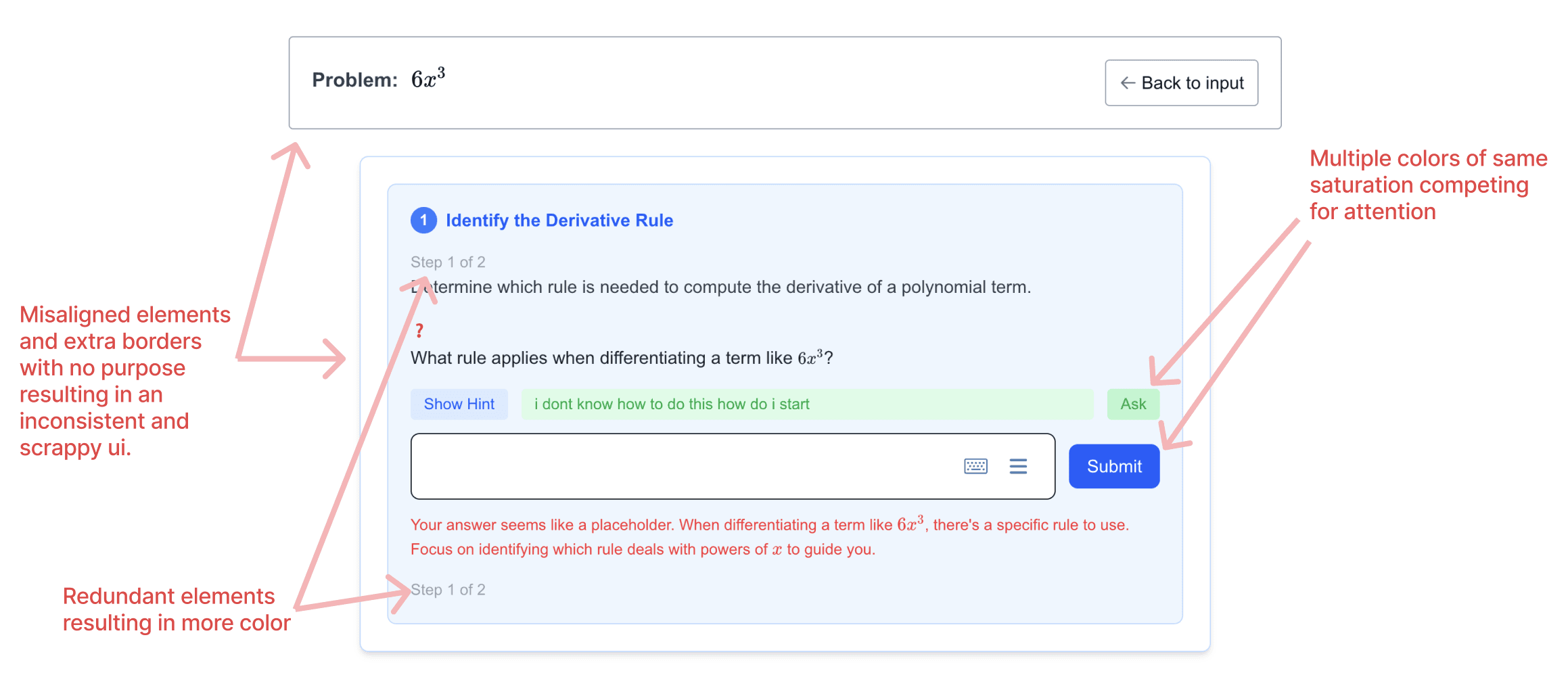
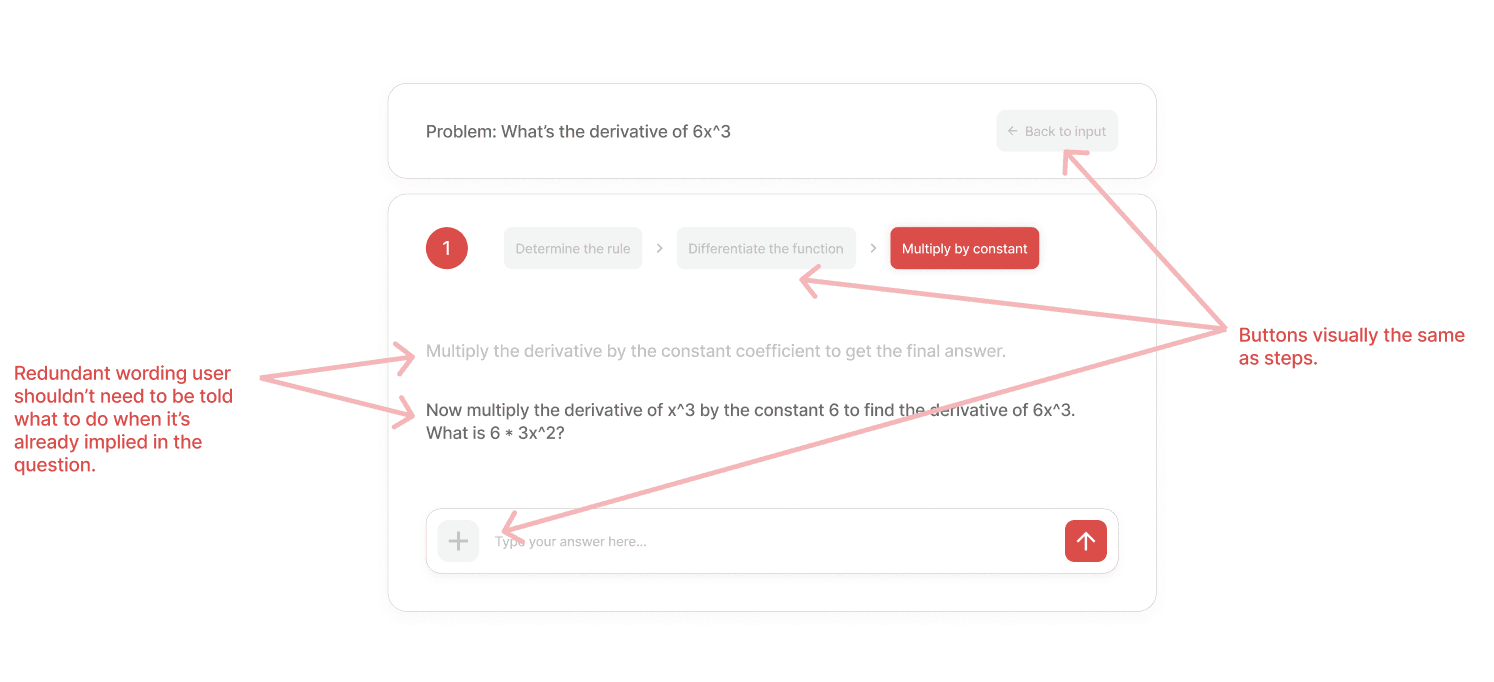
Early exploration of student tutoring.
I explored ways as to what the student tutoring process might look like. I focused on removing redundant elements and applying the design system to keep the UI visually consistent.
Cons of Iteration 1:
redundant wording
no hint button
Pros of Iteration 1:
more consistency in design
more brand identity with red colors
Iteration 1
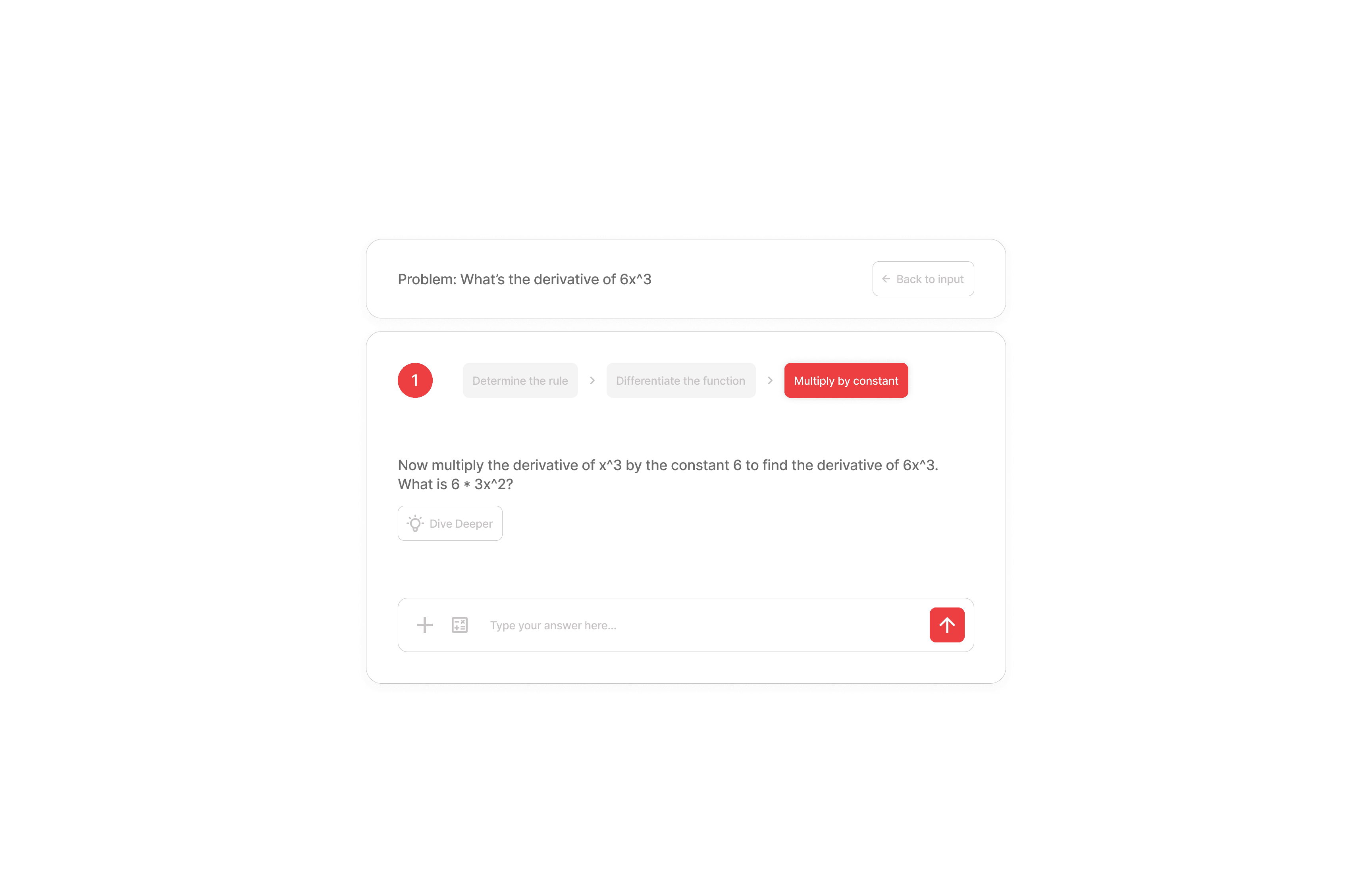
Combining business goals with user interests.
I combined the current business goals (which was mainly more brand identity) with the goal of making the user experience for the students less mentally demanding and more straightforward.
Cons of Current Iteration:
potentially stripped of information
Pros of Current Iteration:
number of steps is shown visually
removed redundant text
brand colors used for action buttons
Current Iteration
DESIGN
Our productivity halts.
We ran into a fundamental problem very early on. I had the designs ready, but our dev would have to tediously convert my designs into code. This was a big bottleneck to our productivity.
My solution.
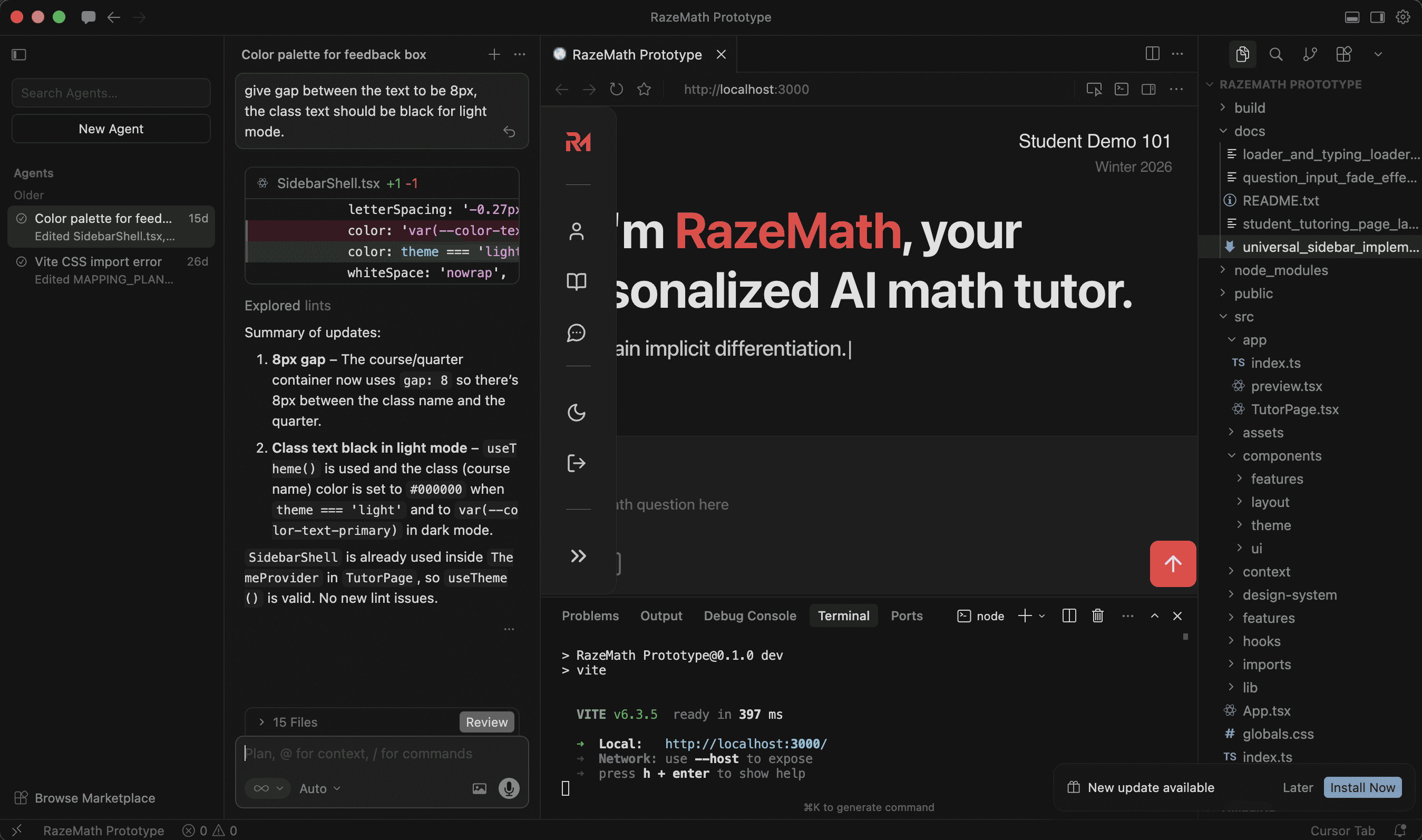
In order to bridge the gap between my designs and my dev's code, I learned cursor over the weekend to convert my designs directly into code.
My prototype in cursor.
DESIGN
Navigation optimized for studying.
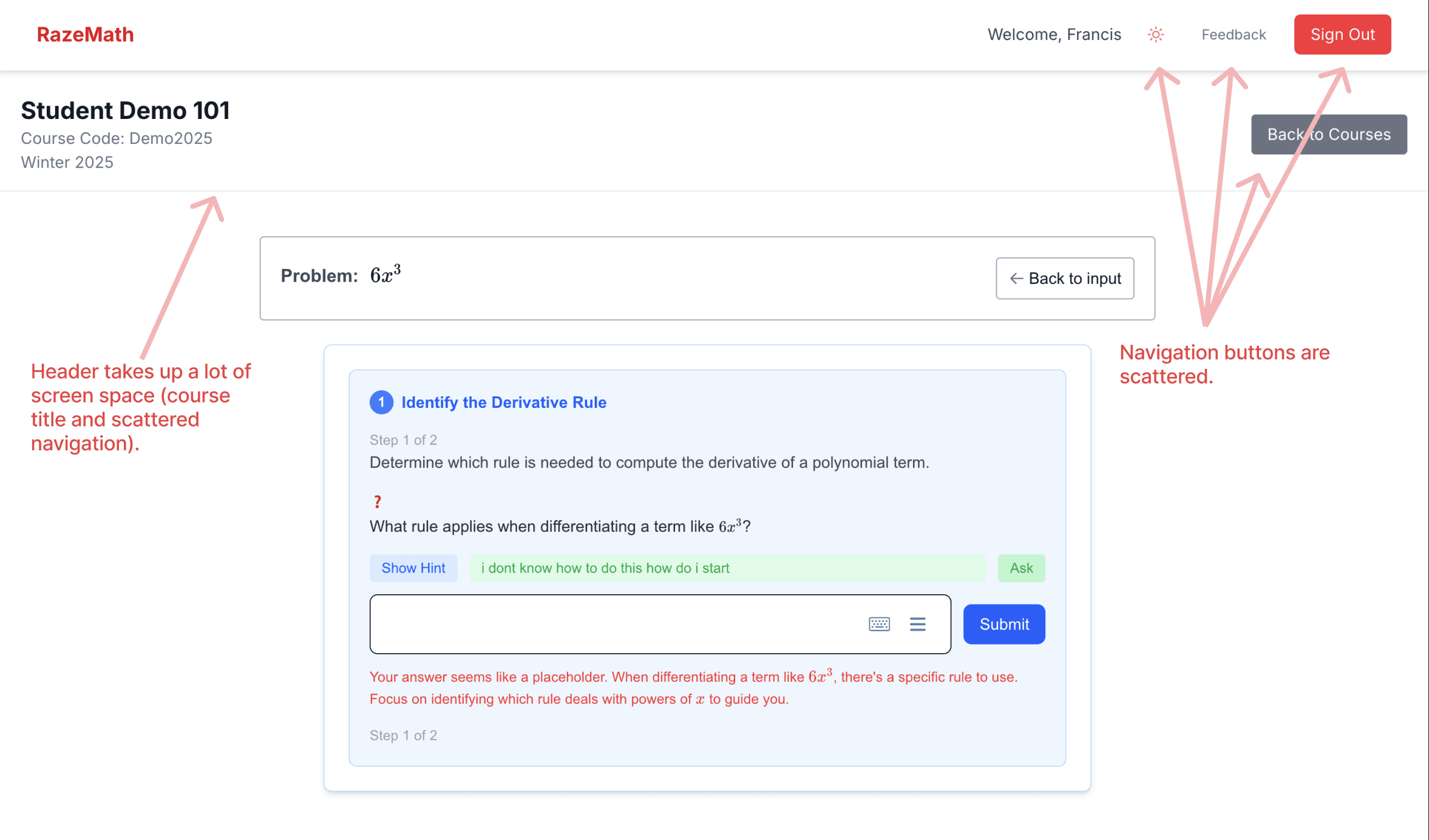
Current problems with navigation:
Navigation scattered across the screen forcing students to hunt for functions like dark mode.
takes up a lot of screen real estate that could be better utilized for other functions.
Initial navigation.
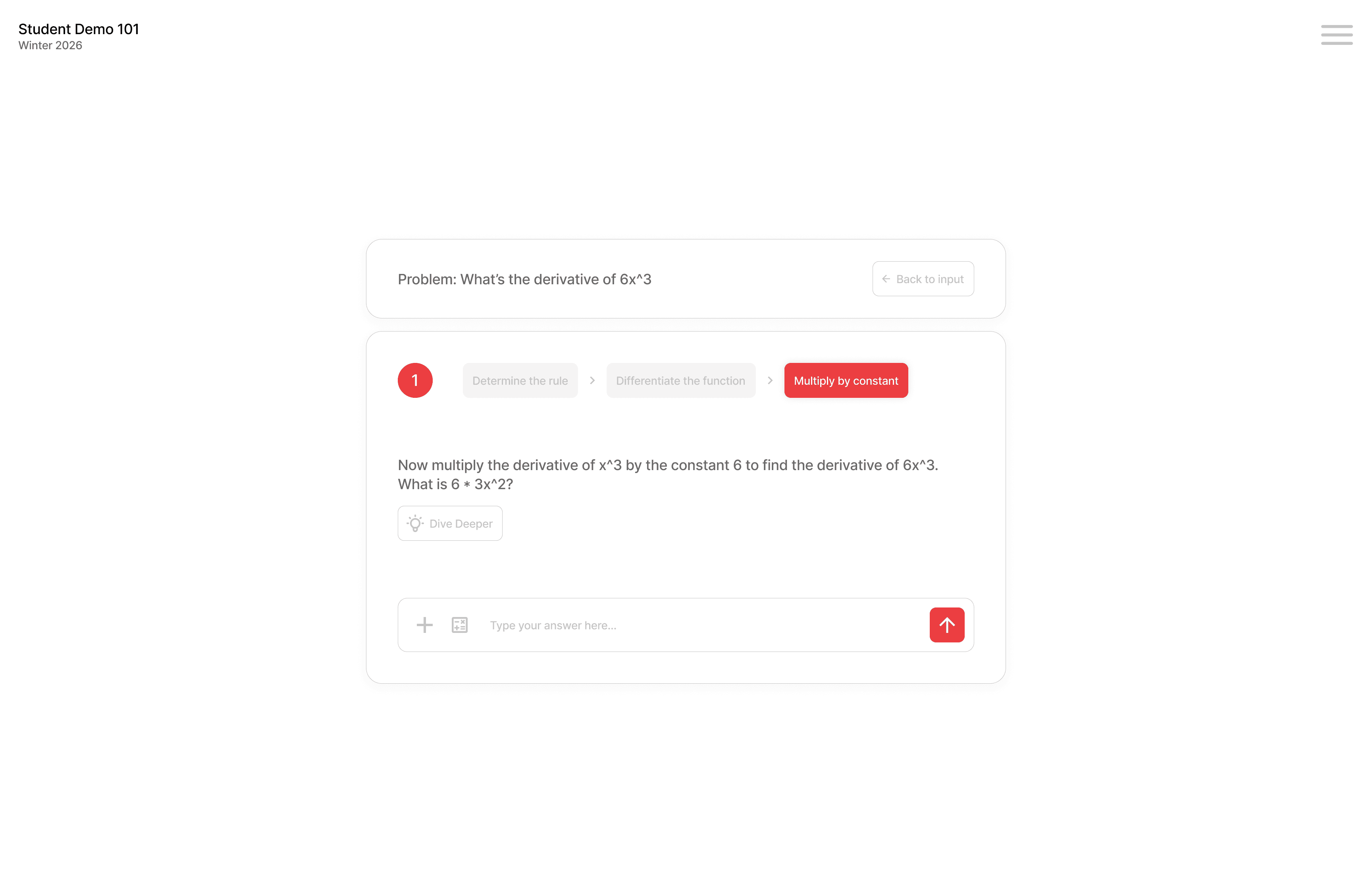
The perfect solution…for mobile.
I first tested a common navigation method, the hamburger menu. Having everything tucked away in a corner may seem convenient initially however user testing revealed problems.
Cons of Hamburger Menu:
far from where most interactions are
two actions before navigating anywhere
Pros of Hamburger Menu:
Lots of screen real estate space saved
compact for mobile devices
easy to implement
Hamburger menu iteration
Sidebars, the ultimate web navigation.
A hamburger menu works great on mobile, but on a web app, where the screen space is really large, navigating with it feels clunky.
So I looked for a solution that was familiar and would solve these two problems and landed on a partially visible sidebar that could be expanded.
Cons of Sidebar Menu:
harder to implement
Pros of Sidebar Menu:
actions can take just one click
easier access on desktop
Current sidebar iteration
REFLECTION
What I've learned
Working with RazeMath has taught me things I never could have learned on my own.
don't stay tied to the design process
adopt a mindset of inferiority to be open to new ideas and learning opportunities
Involve stakeholders in the design process, design is a team sport
What's next?
Some of the new projects I've been working on recently are
RazeMath rebranding
Teacher dashboard