Fridge Management for College Students
Role
Product Designer
Team
Solo Passion Project
Timeline
Oct 2025 - Nov 2025
Tools
Figma
FigJam
PROBLEM
Too much food. Too little memory.
Expired and uneaten food.
You can only imagine how a disorganized fridge would look with four guys. Over time, our fridge became a cluttered mix of half-used sauces, buried leftovers, and expired produce we swore we’d eat.
SOLUTION
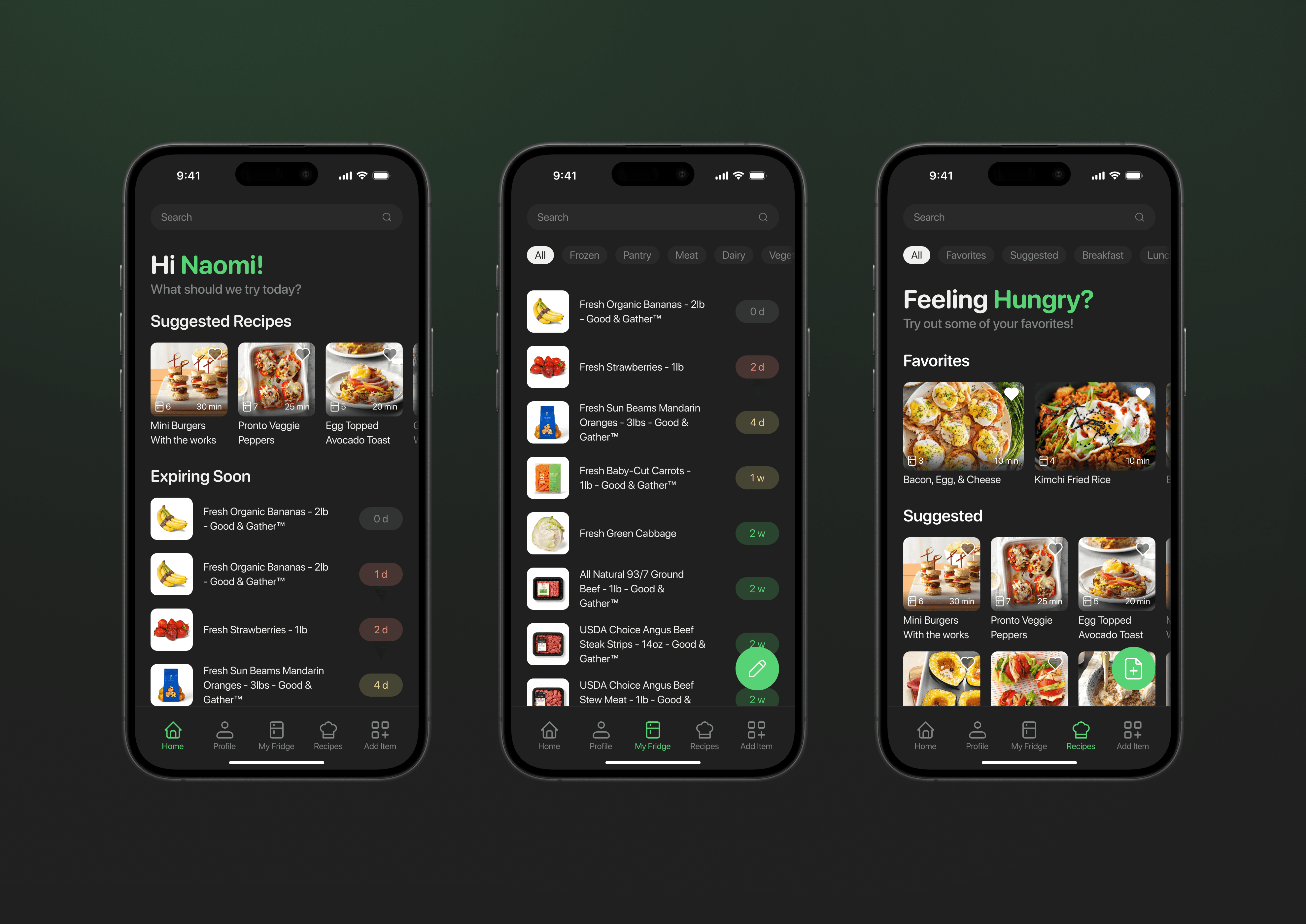
Introducing Fridgy, your friendly fridge buddy.
Get recommendations on what to cook.
Fridgy solves the daily decision loop by putting recipes and expiring items front and center, giving students a fast way to figure out their next meal.
Easily manage your fridge.
Fridgy simplifies upkeep with intuitive swipe gestures for small edits and an edit mode for bulk clean-ups.
No barcode? No problem.
Fridgy uses barcode and receipt scanning to give students an easy, flexible system for adding groceries, whether it’s one item or a full bag.
RESEARCH
How do students mismanage their food?
My research resulted in a few guiding patterns.
I conducted interviews with students who cook frequently and did an analysis of existing pantry and cooking apps. This helped me explore how students manage groceries, cooking routines, and food tracking in their daily lives.
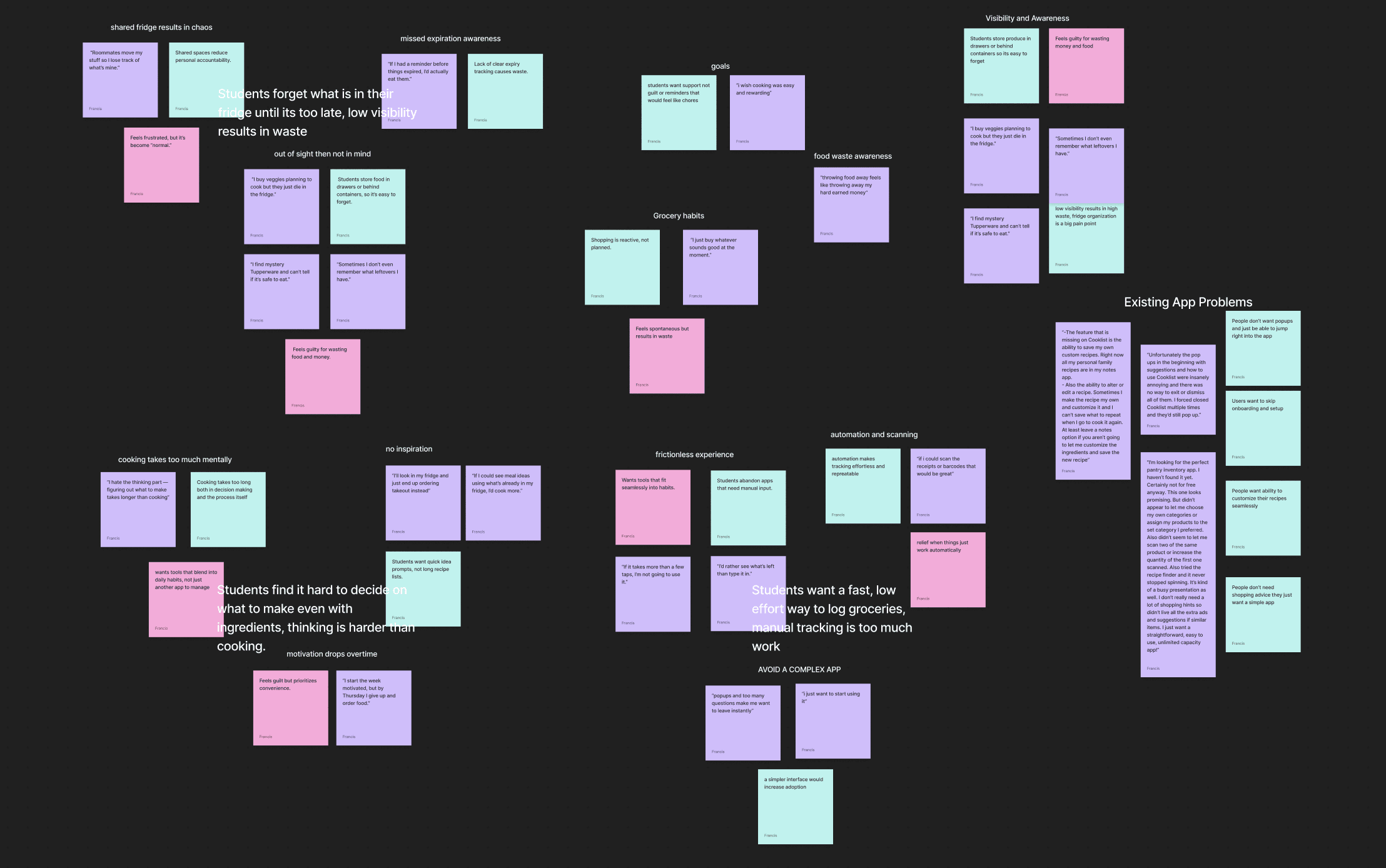
Organizing my notes into groups with affinity mapping
My research resulted in a few guiding patterns.
Across interviews and surveys, clear patterns emerged in how students shop, store, and use their food — revealing the core problems that shaped the direction of this project.
"Roomates move my stuff so I lose track of what's mine"
Students forget what is in their fridge until it's too late, low visibility results in waste.
"I'll look into my fridge and just order food instead"
Students find it hard to decide what to make even with ingredients, planning takes longer than cooking.
"If I could scan the receipts or barcodes that would be great"
Students want a fast, low effort way to log groceries, manual tracking would take too much work.
Why existing apps don't fit students.
While apps like Cooklist and Pantry Check have strong features, students found them too complex, too time-consuming, and not worth a monthly subscription. This gap highlighted the need for something simpler and faster.
Student Need / Pain Point
Cooklist
Pantry Check
Fridgy
quick entry
pantry based recipes
bulk add
student focused
DESIGN
Crafting a stress free fridge experience.
Focusing the goals of the app.
The app is for:
tracking what's in your fridge, freezer, and pantry
knowing what's expiring soon
finding recipes based on what you have
The app is not for:
full grocery list planning
tracking your calories and diet
meal planning beyond more quick recipes
Fridge inventory component iteration & first user testing.
Through multiple iterations and user testing, I refined the inventory into a layout that felt effortless to interact with. I landed on a universal item card—image, name, and expiration days- for all pages.
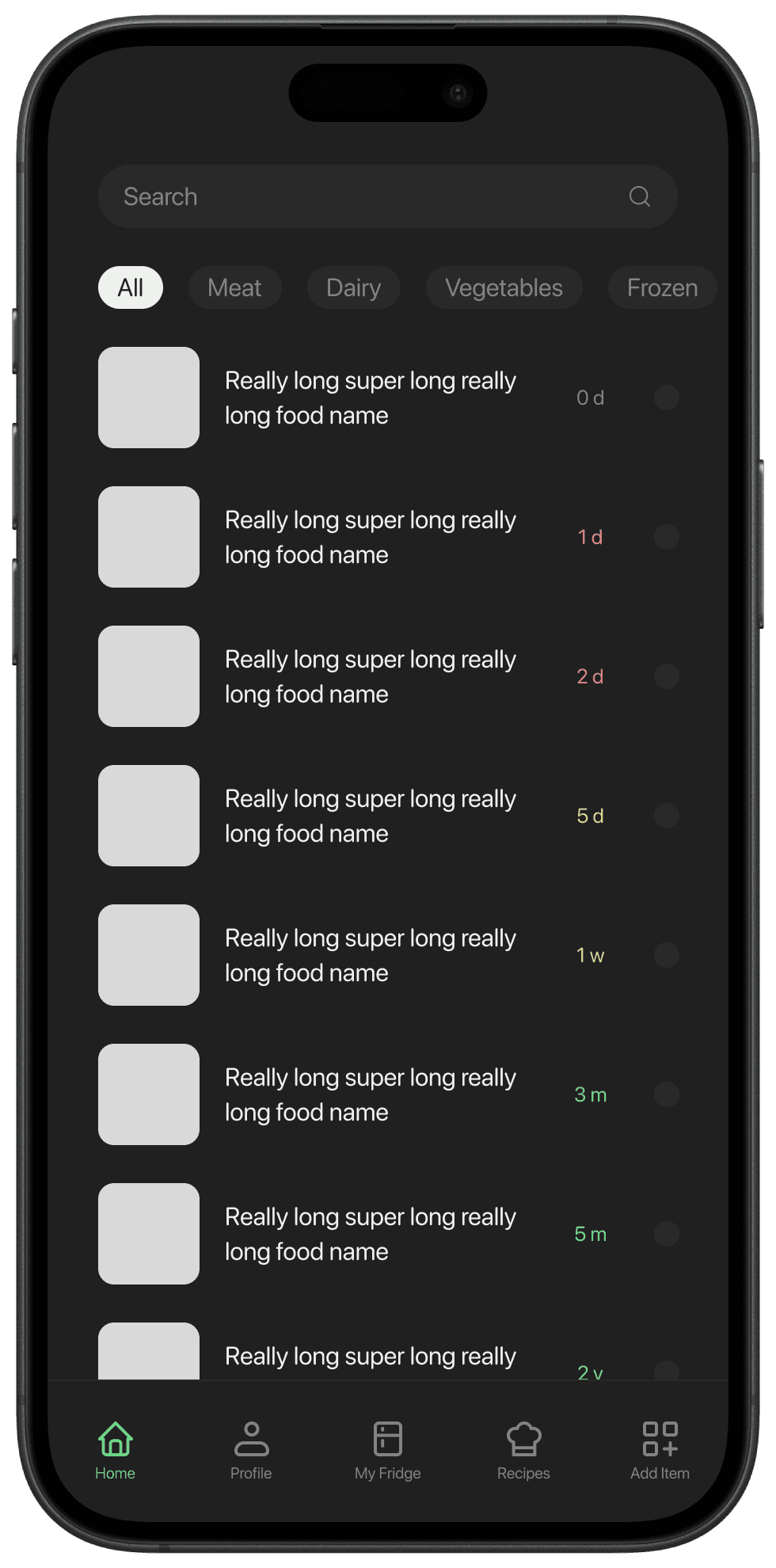
Initial Iteration:
high risk of accidental selection when swiping
expiration labels visually misaligned
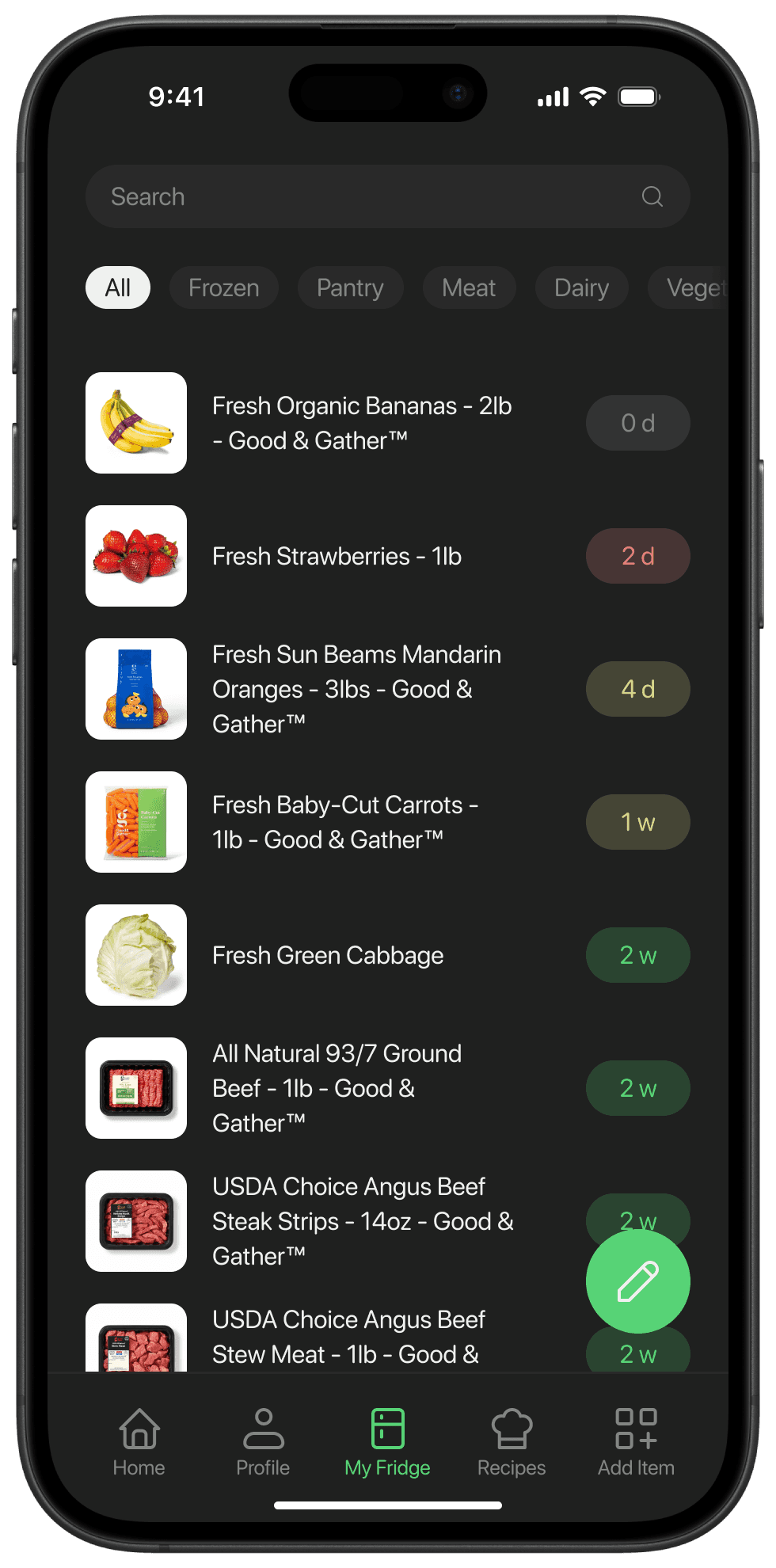
Final Iteration:
spatial grouping to reduce visual clutter
elements are all visually aligned
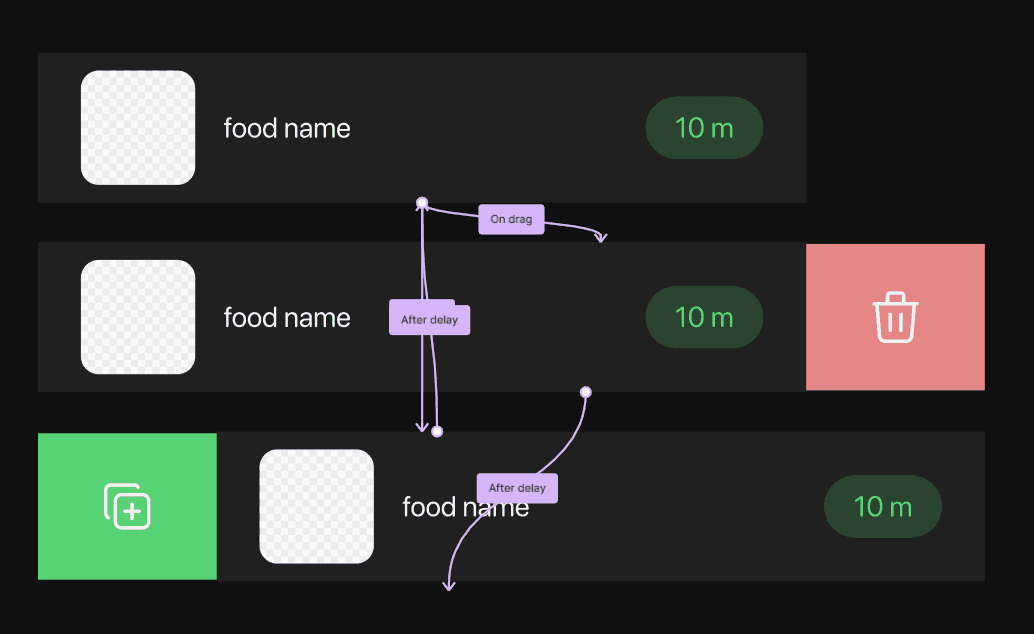
Swipe Gesture Editing.
I tested several interaction patterns and chose simple swipe gestures to keep edits quick and directly on the list. You would swipe right to remove an item, and swipe left to duplicate or replenish it.
User Testing:
In user testing, these gestures quickly became second nature and made edits faster than menu based options
A problem arises with bulk editing.
Further user testing showed that while swipes worked for quick edits, they were too slow for bulk changes. That insight sent me back to prototyping new iterations to better support larger actions.
Early Iteration:
No indication of edit mode
no bulk edit options
Final Iteration:
indicates user is in edit mode
variety of category selections for bulk edit mode
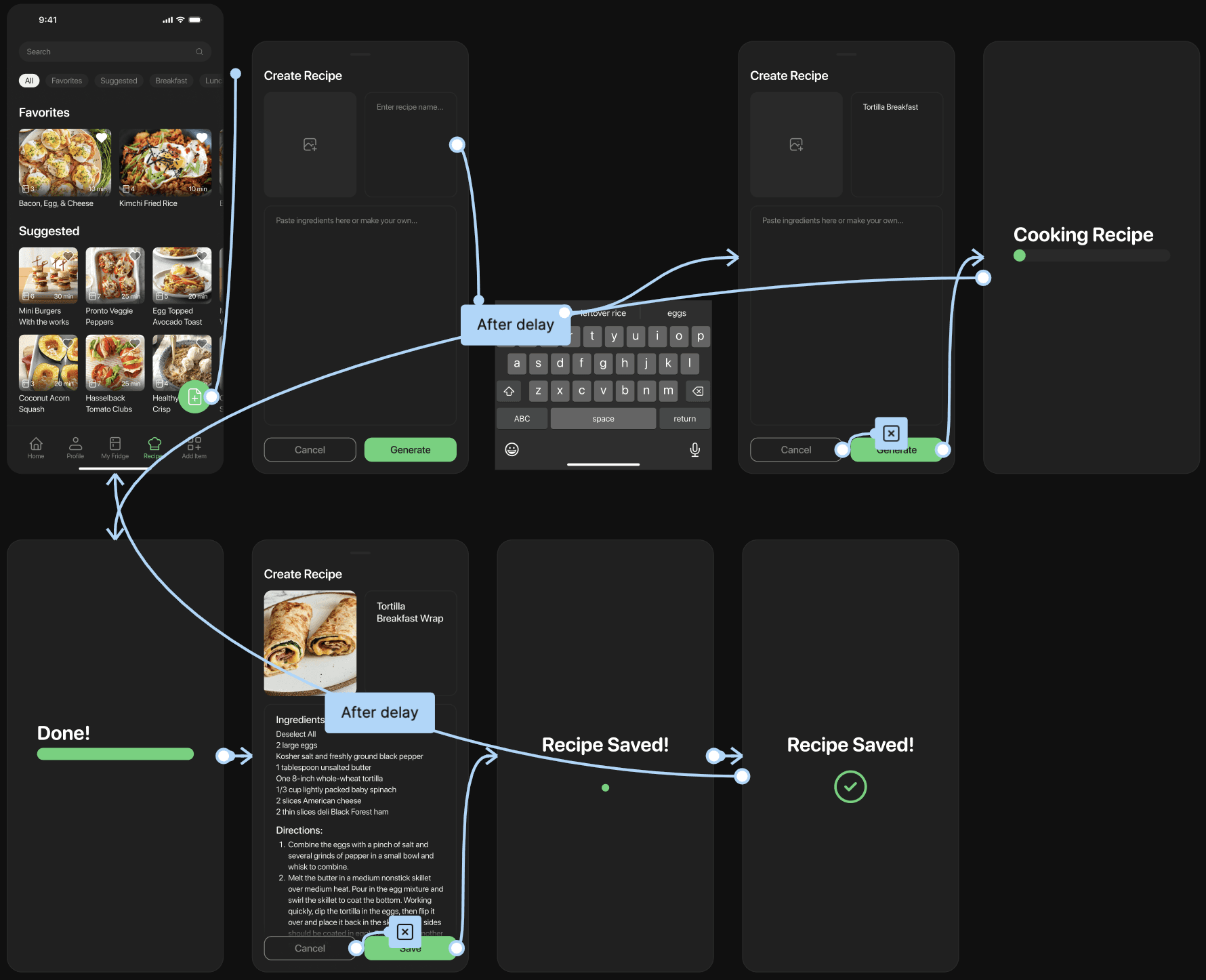
Letting students bring their own recipes to life.
I wanted the custom recipe feature to feel easy and flexible—whether students had a full recipe or just a photo. I explored different layouts and tested how the AI should respond in real time to keep the flow feeling quick and natural.
Design:
Only three essential inputs: image, recipe name, and steps
Used a gray image box and light-bordered text fields to make inputs immediately recognizable
Combined steps and ingredients into one field to avoid unnecessary complexity
Barcode scanning & custom input.
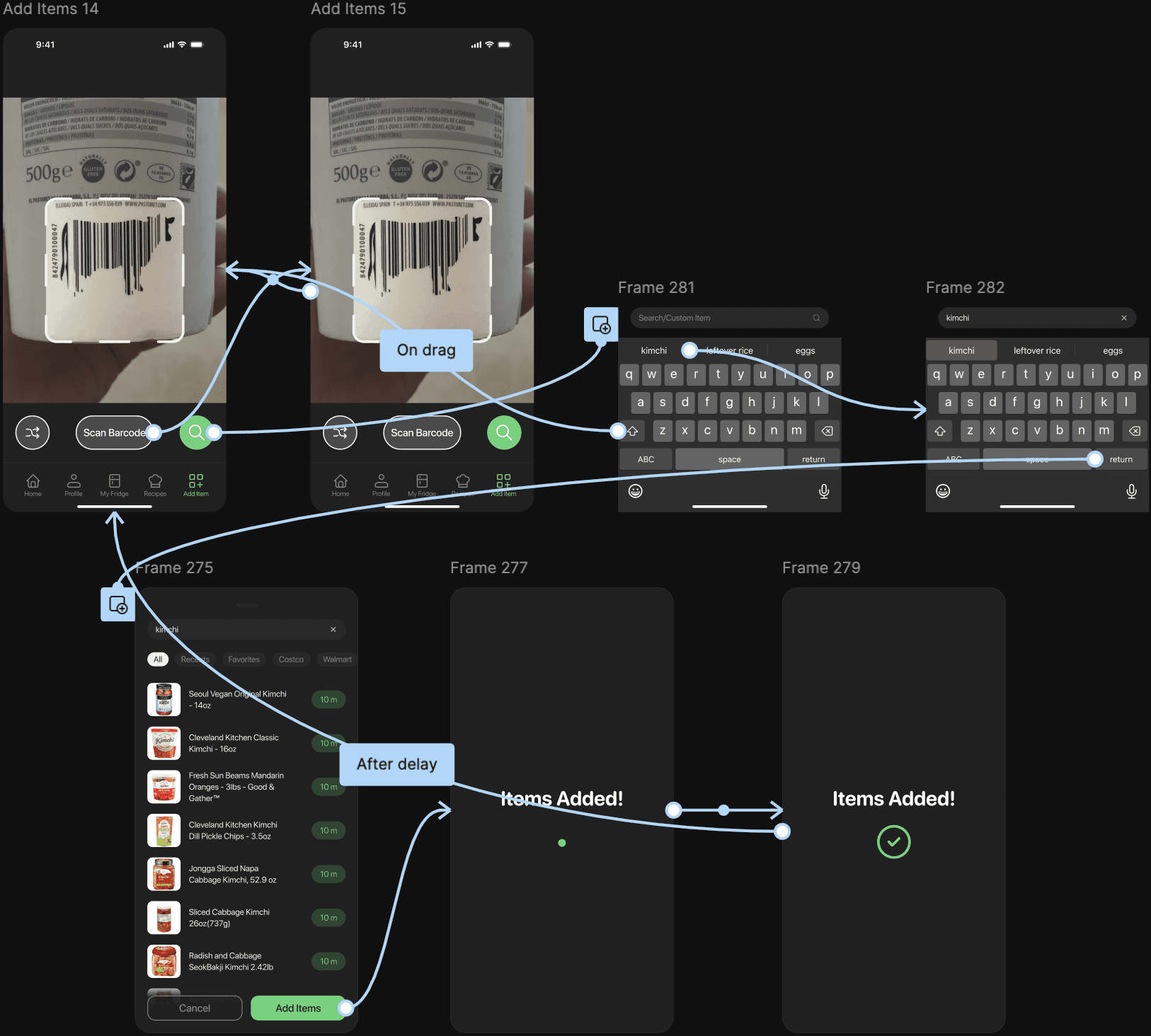
From the student interviews, I deduced that adding items needed to feel fast and flexible. Students restock groceries in a rush, and anything that slows down input makes the app feel like extra work.
Design:
Separated scanning and manual entry to reduce cognitive load
Placed both actions in the thumb zone after reachability testing
Streamlined custom-item entry so users never hit a dead end
One final problem, scanning items is too slow.
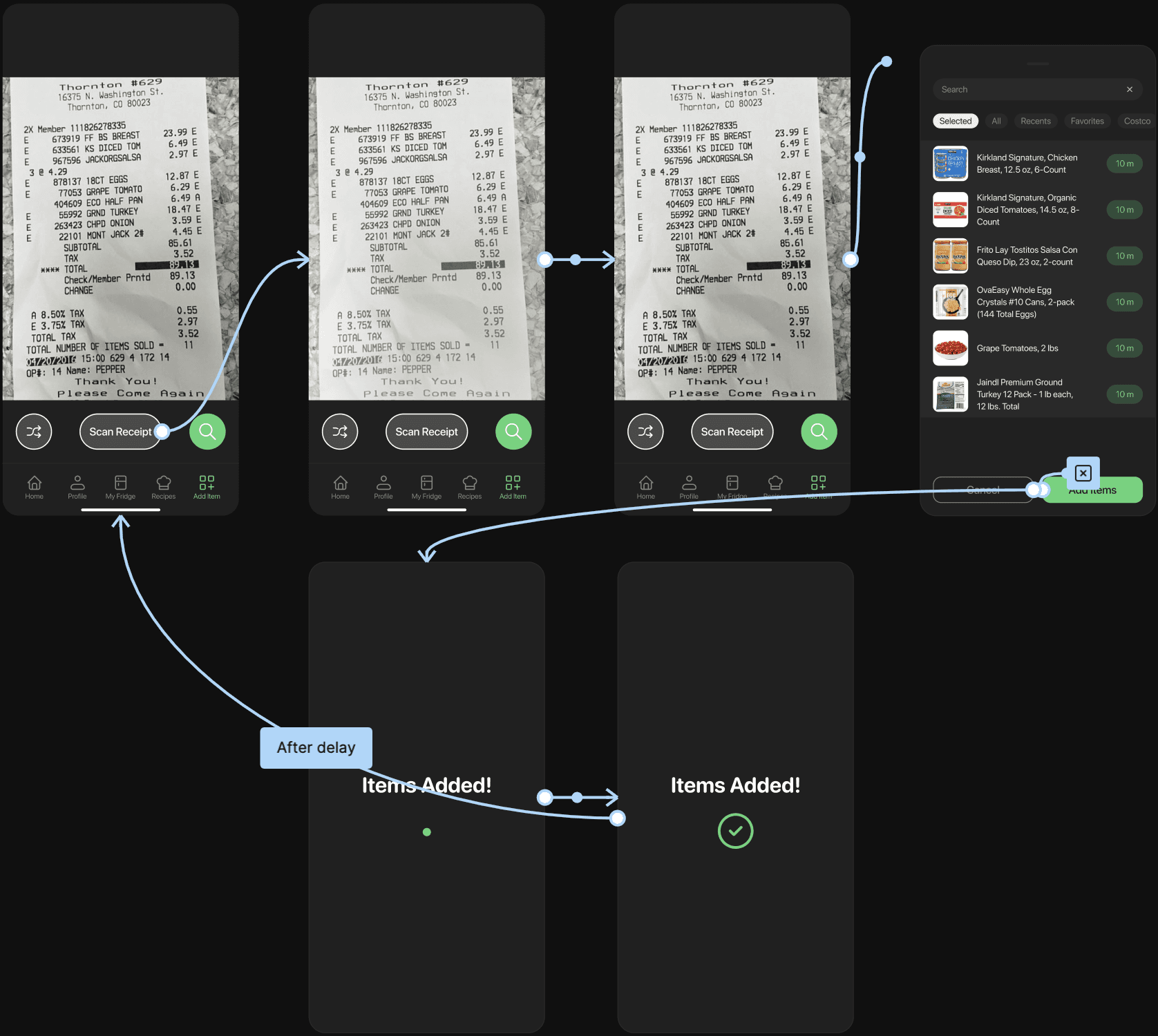
Testing showed that while barcode scanning worked for a few items, it became tedious for a full haul—like checking out all over again at home. So I shifted to something every shopper brings back: the receipt.
Design:
Designed around the familiar action of taking a picture.
Routed receipt results into the same Add Items UI, with items preselected so users can quickly review or edit
Kept the UI consistent with the barcode scanner to maintain a cohesive system
REFLECTION
What I learned building Fridgy.
Design is not a straight path.
Design isn't linear. There were many times when where I had to iterate countless times before coming up with something that could be tested. Which leads to the second thing I learned from this project, which is to keep on iterating because sometimes a solution may seem good in thought but bad in practice.
If I had more time.
smarter recipe suggestions based on cooking history, dietary needs, and ingredient patterns.
collaborative tracking for roommates to reduce duplicates and confusion over who owns what.
detecting partial amounts and adjusting recipe suggestions based on what’s actually left.
subtle, context-aware nudges for items that are approaching expiration or commonly forgotten.